
Mobile Device Setup
Professional Phone Setup Services in Daisy Hill
Getting a new phone should be exciting, not frustrating. I understand the setup process can feel overwhelming. Between transferring contacts, configuring email accounts, setting up apps, and understanding security settings, there’s a lot to manage. I provide patient phone setup services right here in Daisy Hill, helping you get your device working exactly the way you need it to.
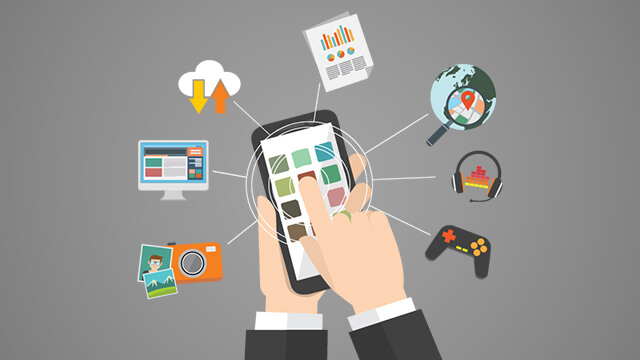
I work with all major smartphone brands and operating systems. Android devices from Samsung, Google, Oppo, and Huawei are all within my expertise, as are Apple iPhones running the latest iOS versions. Each platform has its own quirks and advantages, and I’ll explain everything in plain language so you feel confident using your phone from day one.
Complete New Phone Configuration
When you first turn on a new phone, you’re greeted with a series of setup screens that ask for decisions about privacy, accounts, backups, and more. Making the wrong choice early on can lead to problems down the track. I guide you through this initial configuration, explaining what each option means and helping you make informed decisions that suit your needs.
The setup process includes signing into your Google account for Android devices or your Apple ID for iPhones. These accounts are central to everything your phone does, from backing up your data to downloading apps. I’ll ensure your account is configured properly with strong security settings, including two-factor authentication where appropriate. If you don’t already have an account, I’ll help you create one with a secure password that you can remember.
Beyond the basics, I configure your phone’s display settings for comfortable viewing, adjust sound and notification preferences so you’re not overwhelmed by alerts, and set up accessibility features if you need larger text, voice control, or other assistive technologies. The goal is a phone that works for you, not one that leaves you confused or frustrated.
Data Transfer and Contact Migration
One of the biggest concerns when getting a new phone is transferring all your information from your old device. Contacts, photos, messages, and app data all need to move across, and the process differs depending on what devices you’re switching between. I handle all types of transfers (Android to Android, iPhone to iPhone, or switching between the two platforms entirely).
For same-platform transfers, the process is usually straightforward using built-in tools like Google’s backup system or Apple’s Quick Start feature. I make sure these tools run correctly and verify that all your important data has transferred successfully. Cross-platform transfers require more attention, as some data doesn’t move as easily between different operating systems. I use reliable third-party tools and manual methods to ensure you don’t lose important contacts, photos, or other files in the transition.
I also check that your contacts are formatted properly and free of duplicates, which often accumulate over years of phone use. A clean contact list makes your phone more efficient and easier to use.
Email and Account Setup
Your phone becomes far more useful once your email accounts are configured properly. I set up personal email addresses, work accounts, and multiple email profiles so you can access all your correspondence in one place. This includes popular services like Gmail, Outlook, Yahoo Mail, and iCloud, as well as custom business email addresses that require manual server configuration.
Each email service has specific settings for incoming and outgoing mail servers, authentication protocols, and security features. I ensure these are configured correctly so your email syncs reliably and securely. If you use calendar and contact syncing through your email provider, I’ll set those up as well so appointments and contact updates appear across all your devices.
App Installation and Organisation
The app world is where your phone comes to life. I help you download and install the apps you need (social media platforms, banking apps, productivity tools, or entertainment services). Each app often requires its own login credentials and permissions, which I’ll help you manage securely.
I organise your home screen and app drawer so the tools you use most often are easy to find. This might mean creating folders for similar apps, removing pre-installed bloatware you’ll never use, or setting up widgets that give you quick access to important information. A well-organised phone saves you time and reduces daily frustration.
For apps that need specific permissions to function (camera access or location services), I explain what each permission does and why an app might need it. This helps you make informed choices about your privacy while ensuring your apps work properly.
Common Phone Setup Issues
| Problem | What It Does |
|---|---|
| Failed data transfer | Leaves you without contacts, photos, or messages from your old device, requiring manual recovery or re-entry |
| Email sync errors | Prevents you from receiving new messages or causes duplicate emails to appear repeatedly |
| Incorrect backup settings | Means your data isn’t being saved, risking total loss if your phone is damaged or lost |
| Poor privacy configuration | Allows apps to access personal information unnecessarily, creating security and privacy vulnerabilities |
| Notification overload | Bombards you with constant alerts from apps, draining battery and causing unnecessary distraction |
Security and Privacy Configuration
A phone contains enormous amounts of personal information, from financial data to private conversations. Proper security setup protects all of this. I configure screen locks using PINs, patterns, passwords, fingerprints, or face recognition, depending on what your device supports and what you’re comfortable with. I’ll help you choose a method that balances security with convenience.
Privacy settings control what information apps can access and what data your phone shares with manufacturers and third parties. I review these settings with you, explaining the implications of each choice. This includes location tracking, ad personalisation, usage diagnostics, and permissions for individual apps. You’ll understand exactly what’s being shared and have the power to change it.
I also set up Find My Device services for both Android and iOS, which help you locate a lost phone or remotely wipe it if it’s stolen. This simple step can save enormous headaches if the worst happens.
Network and Connectivity Setup
Your phone needs to connect to Wi-Fi networks, pair with Bluetooth devices, and access mobile data. I ensure all these connections work smoothly. This includes connecting to your home Wi-Fi network, setting up mobile hotspot functionality if you need it, and pairing with wireless headphones, car systems, smartwatches, or other Bluetooth accessories.
If you’re experiencing slow data speeds or connection problems, I diagnose the cause and implement solutions. This might mean adjusting network settings, updating carrier configurations, or identifying interference from other devices.
Optimisation for Daily Use
Beyond basic setup, I optimise your phone for the way you actually use it. If you take lots of photos, I’ll configure camera settings and set up automatic cloud backup so you never lose precious memories. If battery life is a concern, I’ll adjust settings to extend time between charges without sacrificing functionality you rely on.
I also provide clear instruction on essential daily tasks like taking screenshots, using voice assistants, managing storage space, and updating software. You’ll leave the appointment confident and capable, not dependent on calling someone every time you need to do something new.
Common Questions
How long does a typical phone setup take?
Most complete phone setups take between one and two hours, depending on how much data needs to transfer and how many accounts and apps you use. Simple setups with minimal data transfer can be quicker, while complex business phone configurations might take longer.
Can you transfer data from a very old phone?
Yes, though the methods vary depending on the age and condition of your old device. Even if direct wireless transfer isn’t possible, I can extract data using backup files, SIM card readers, or manual methods to ensure you don’t lose important information.
Will I need to know my passwords?
You’ll need passwords for accounts like email, Apple ID, or Google account. If you’ve forgotten them, I can guide you through the recovery process before we start the setup. For security reasons, I never ask you to share passwords with me directly.
Do you provide ongoing support after setup?
Yes. If you run into questions or issues after your initial setup, I’m available to help. Many small problems can be resolved remotely, or I can schedule a follow-up appointment if hands-on assistance is needed.
Get Your Phone Working Right
Stop struggling with technology that should make your life easier. Ring me today to book your phone setup appointment in Daisy Hill.
Related services
I also offer these services in Daisy Hill:
[contact-form-7 id=”13″ title=”Daisy Hill Form”]
